January 14, 2026
Although this review is not aimed at users who prefer a full dumbphone experience, those who prefer to use a dumbed-down Android device to reduce their usage may find the Buzzkill notification app useful for reducing message anxiety and distractions from constant app notifications.
What is Buzzkill?
Buzzkill is an Android App that intercepts notifications from the Android operating system and subsequently delivers the notification to the device, based on the specific user’s requirements.
How is Buzzkill helpful for minimalists?
Managing notifications is often helpful for minimalists who suffer from notification anxiety or checking their phones too frequently, with the fear of missing an important notification. This research has demonstrated that delivering notifications in batches, three times a day, has a positive influence on users’ wellbeing.
Notifications also lead to distractions and higher app usage. Blocking, reducing and batching notifications so they can be attended in chunks, in a parallel manner.
Core Buzzkill features for minimalists
Notification history
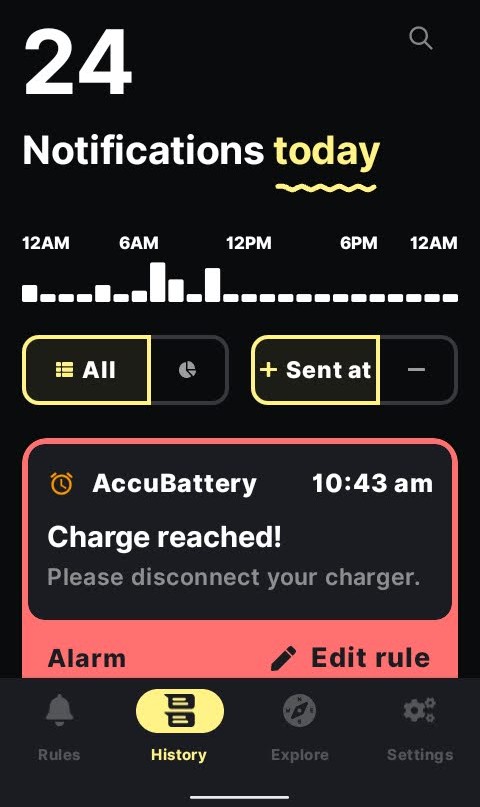
Buzzkill makes it easy to see the number of notifications received, the timing and the details of the notification. Although this functionality is built into Android’s digital wellbeing app, Buzzkill’s implementation makes it easy to set rules based on each notification to minimise disruptions.
Batched notifications
Buzzkill’s batched notifications allow users to batch notifications to achieve the result mentioned previously. Buzzkill’s implementation is very granular, so you can select individual apps and also include/exclude certain contacts and batches can include or exclude keywords.
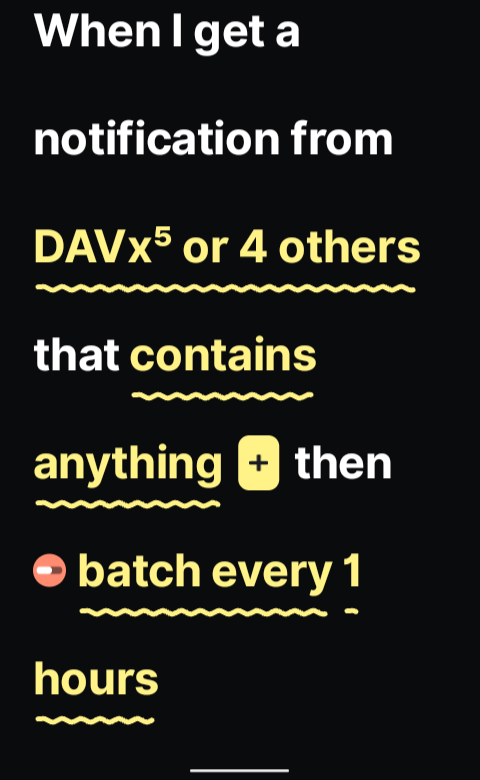
This batching implementation can be very useful for users who need to be contactable from chat applications, but social media and news notifications may be batched for delivery at less frequent intervals.
How does batching help a digital minimalist?
Batching notifications helps to reduce the constant checking of your phone, and it allows you to be more efficient in terms of handling messages in the combined batch, rather than each message as it’s received.
Cooldown notifications
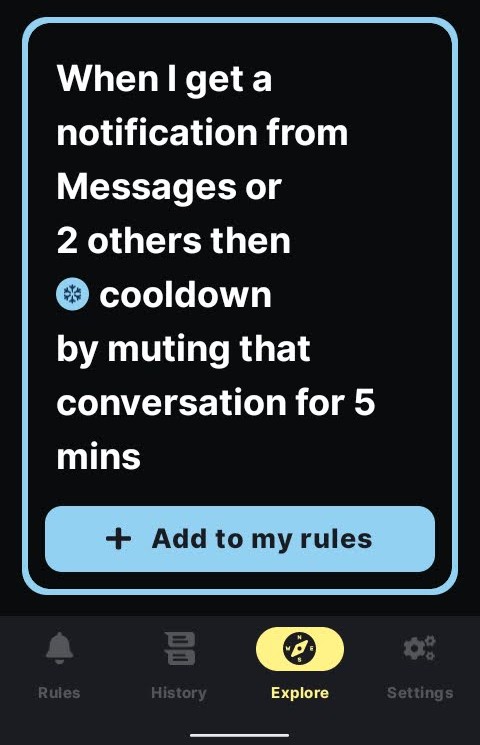
Cooldown notifications are another useful Buzzkill feature for digital minimalists. With chat applications, it’s not uncommon for a contact to message you multiple times in succession. Buzzkill’s cooldown feature groups the messages together, with the option to mute the conversation for x minutes. For example, if a contact messages you five times in succession, the Buzzkill rule will mute that conversation for say five minutes before delivering notifications. This is a useful rule to reduce distractions and improve productivity.
Notification alarm
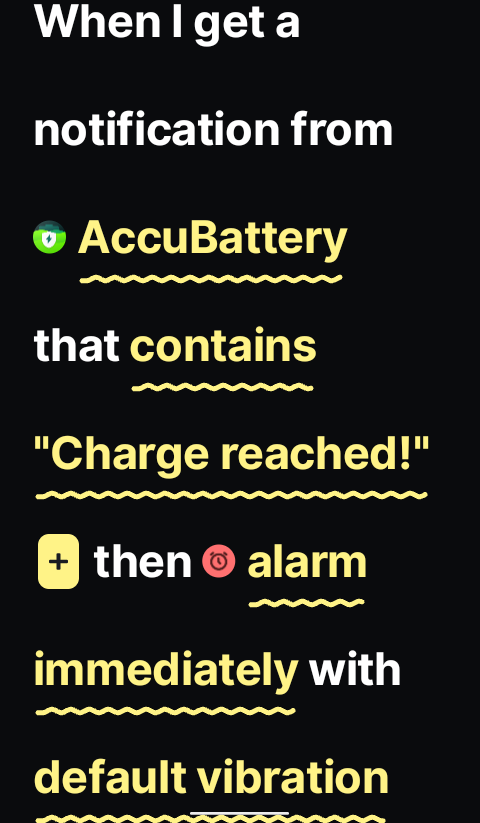
Not specifically for digital minimalism, but the notification alarm is useful for certain actions, like stopping your phone from over-charging
Buzzkill is a very powerful notification management system, and the above just scratches the surface of what is possible to configure. If you are looking to reduce your screen time and the disruptions that notifications provide, at $4.99, Buzzkill is definitely worth the investment.
